Step 01: Login into your cPanel.
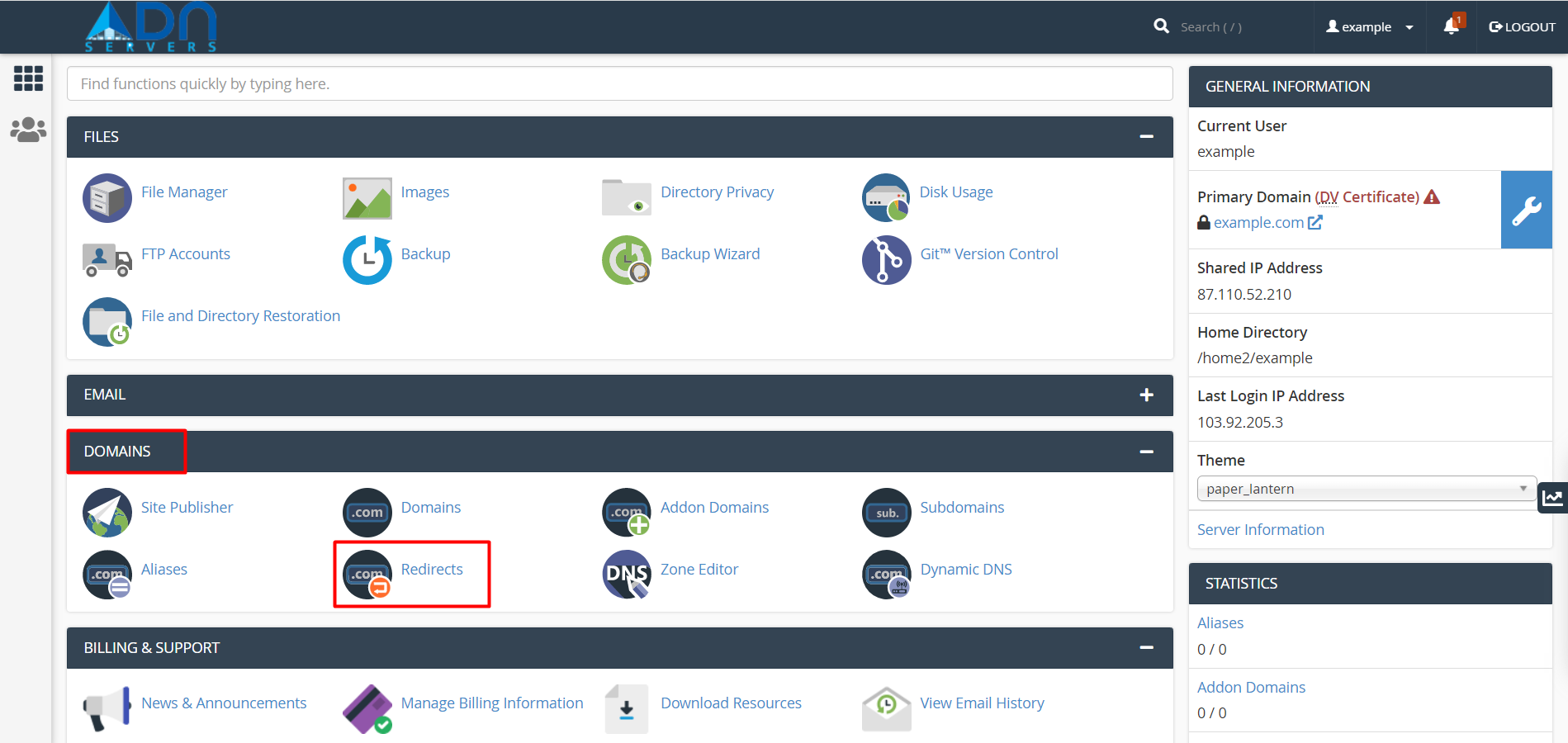
Step 02: In the DOMAINS section of the cPanel home screen, click Redirects.
Step 03: Under Add Redirect, select the redirection type:
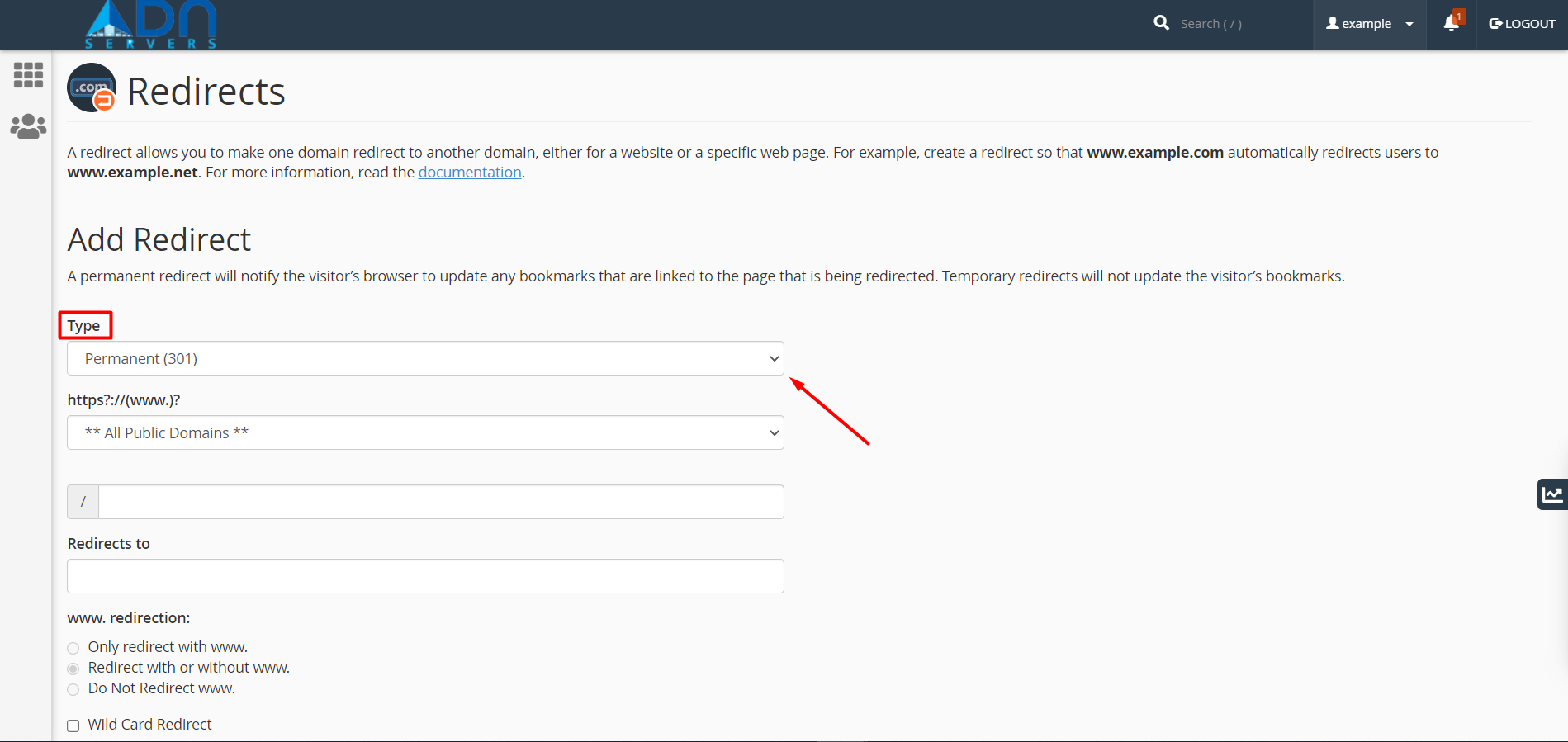
To specify a permanent redirection, select Permanent (301).
To specify a temporary redirection, select Temporary (302).
Step 04: Select the domain, and then type the web page that you want to redirect.

Step 05: In the Redirects to the text box, type the destination web page.
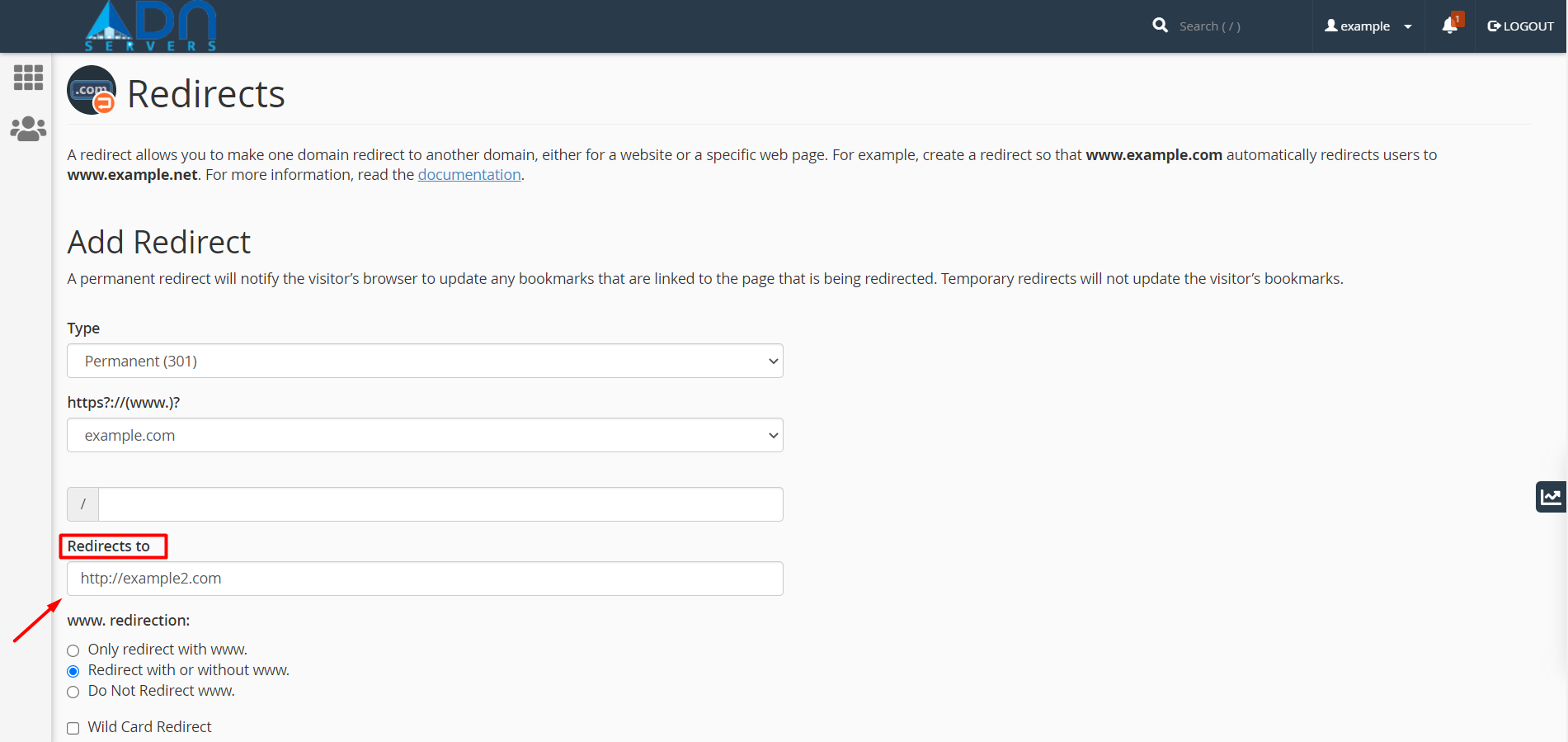
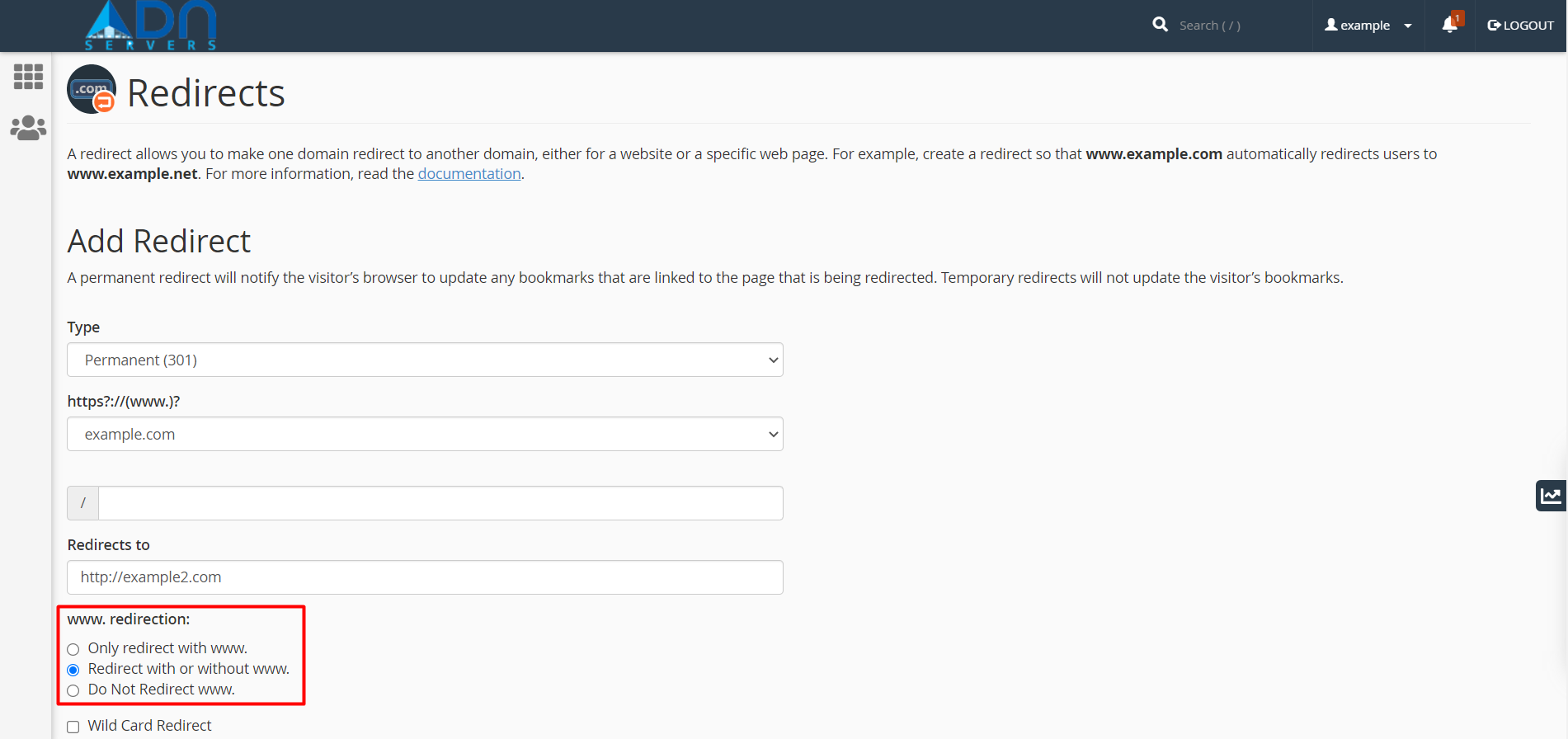
Step 06: Under www. redirection, select the option you want for redirecting domains that include www.
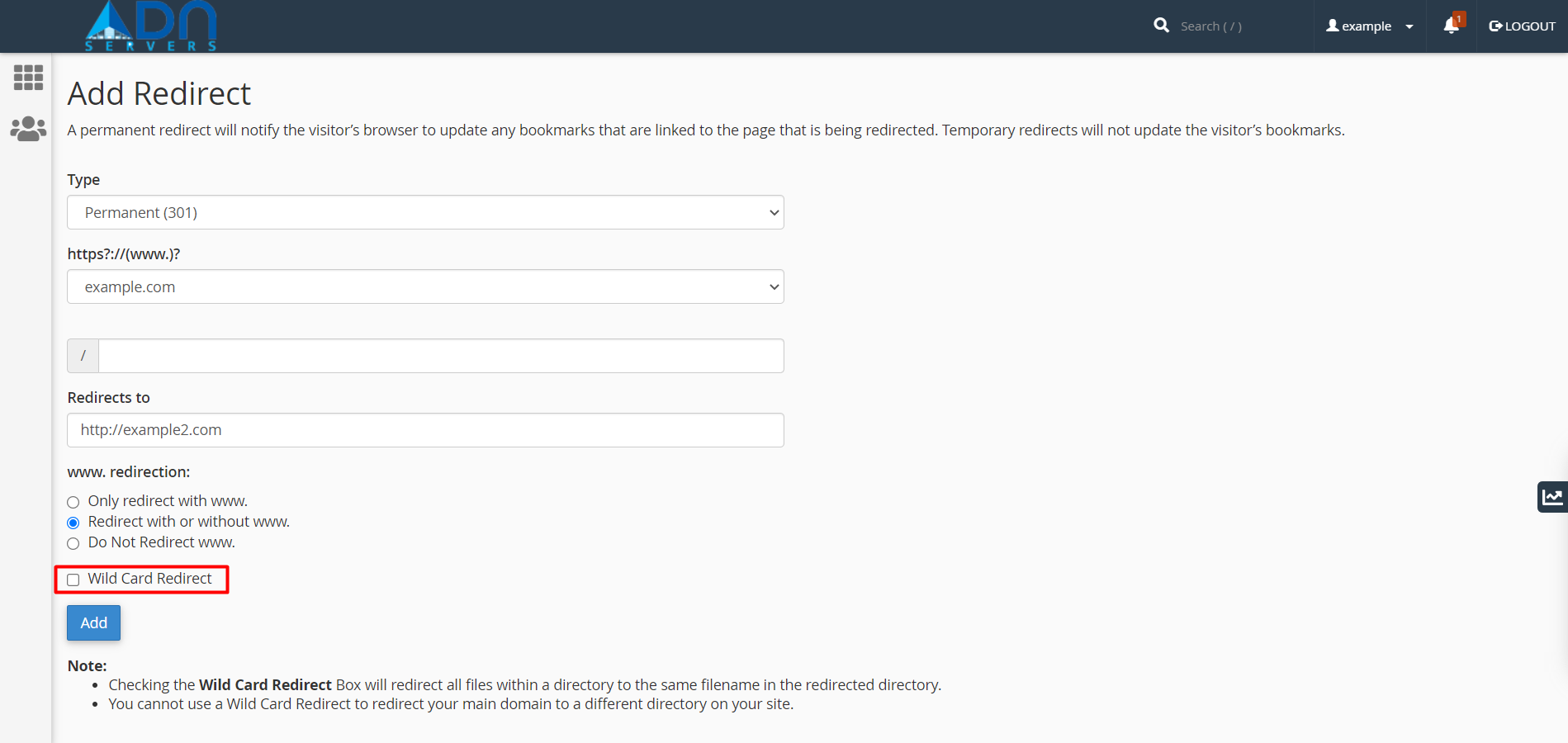
Step 07: To enable wild card redirecting, select the Wild Card Redirect check box.
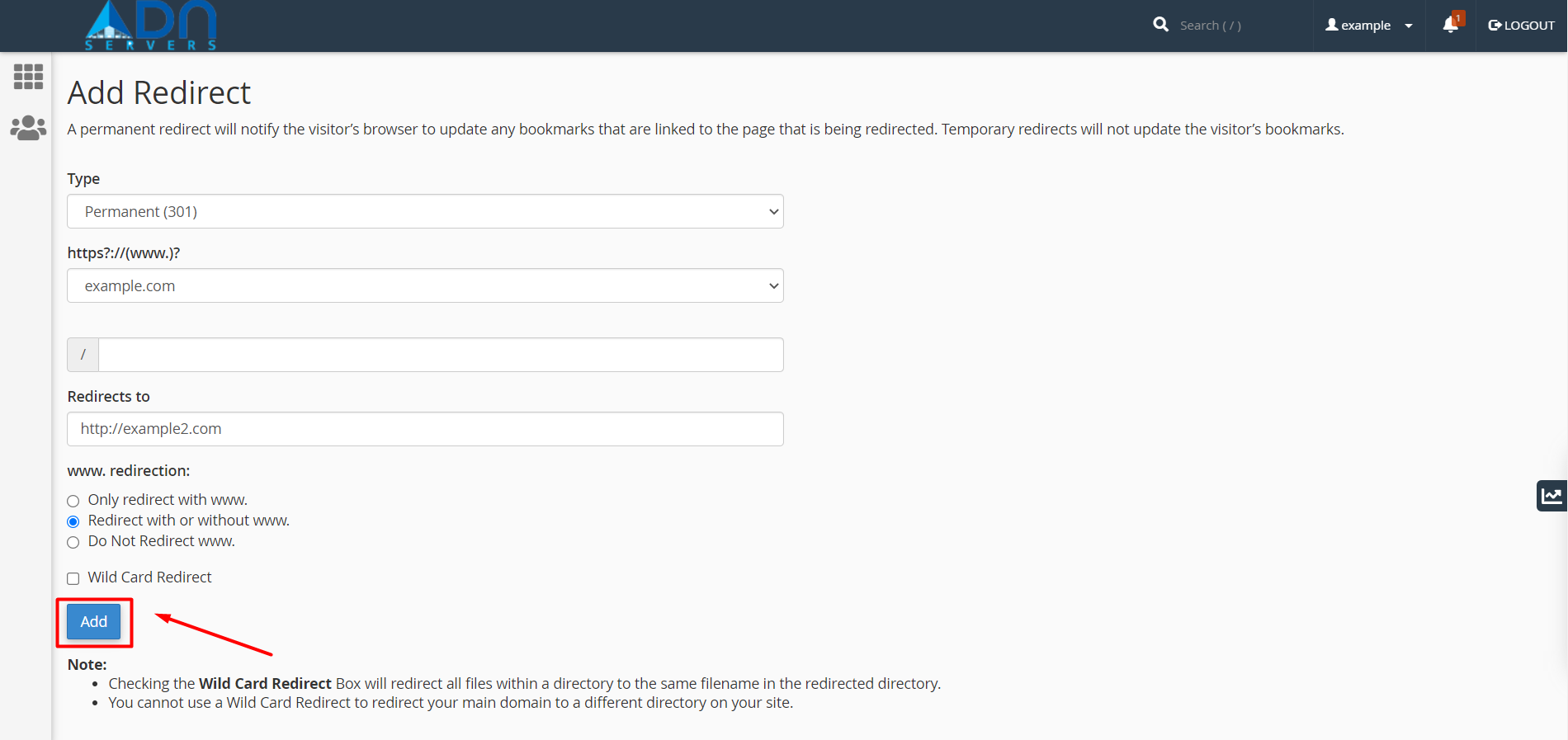
Step 08: Click Add. cPanel adds the redirect.
OR If you will face any issues, please email us at support@adndiginet.com for more technical support.